Config Push & Change Management
Config Push applies configuration to many devices with the controls a change process actually needs: named credentials, templates, scheduling, approval, dangerous-command blocking, and per-device snapshot and rollback.
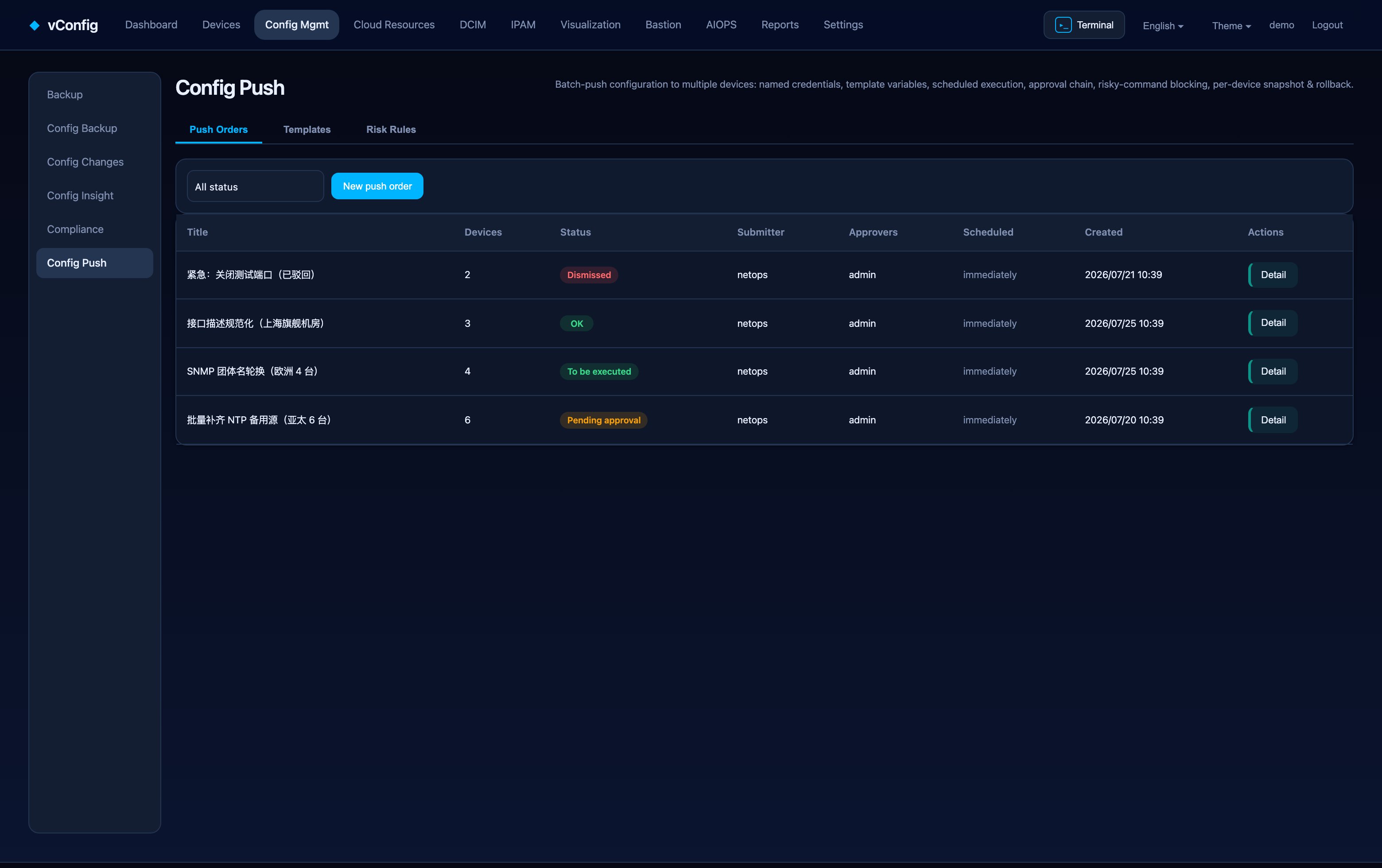
Four tabs
| Tab | Purpose |
|---|---|
| Push orders | The change tickets themselves — title, device count, status, submitter, approver, scheduled time |
| Template library | Reusable configuration templates with variables and a usage counter |
| Dangerous rules | Regex rules that block or flag risky commands |
| Credential store | Named login accounts, encrypted, never echoed back |
The pipeline
- Draft — pick a template and target devices; preview the rendered configuration per device before anything is sent.
- Approval — a second pair of eyes approves. Role permissions are enforced, so submitters cannot approve their own orders.
- Execution — vConfig logs in, applies the change, and captures the session transcript.
- Verification — a fresh backup is taken and diffed, and compliance re-scans the touched devices.
Failures are reported per device with the transcript, so you see exactly what the device said rather than a generic "failed".
Stopping a run
While a ticket is executing (or rolling back), Stop aborts it. It stops between commands and between devices: the remaining commands for the current device are not sent, and no later device is touched. It never cuts the line mid-command — half a command inside a device is a mess nobody can clean up.
The ticket is recorded as Aborted, and devices that never came up are marked aborted with no start time, so it is visible that they were never touched.
Devices already pushed are not rolled back automatically. To undo those, use Rollback — a separate push with its own approval and reason, not a side effect of stopping.
A service restart takes the executing thread with it, leaving the ticket stuck at "executing". Stop clears that case too: with no thread to stop, the ticket is marked aborted directly, and the device that was mid-push carries a note saying whether it was pushed must be confirmed on the device — the platform cannot tell, and saying so is better than pretending nothing happened.
Templates
Templates take device attributes and variable profiles as input, so a single "set NTP / syslog / ACL" intent renders correct syntax for each platform. Define the change once, not once per vendor.
Dangerous-command rules
Each rule is a regex plus a disposition:
- Hard block — an order containing a match cannot be submitted at all.
- Review required — it can be submitted, but needs an additional administrator review.
Built-in rules can be disabled but not deleted, so the guardrails cannot quietly disappear from an account nobody is watching.
Credentials
The credential store holds the accounts available at push time. Passwords are encrypted and never shown in the browser. The default is the device's own backup credentials, which means for most changes there is nothing extra to configure.
Scheduling
An approved order can be scheduled. The window is per order, so a maintenance window that covers three different changes does not have to be one giant script.