System Settings
One page, thirteen sections. This is the reference for what lives where.
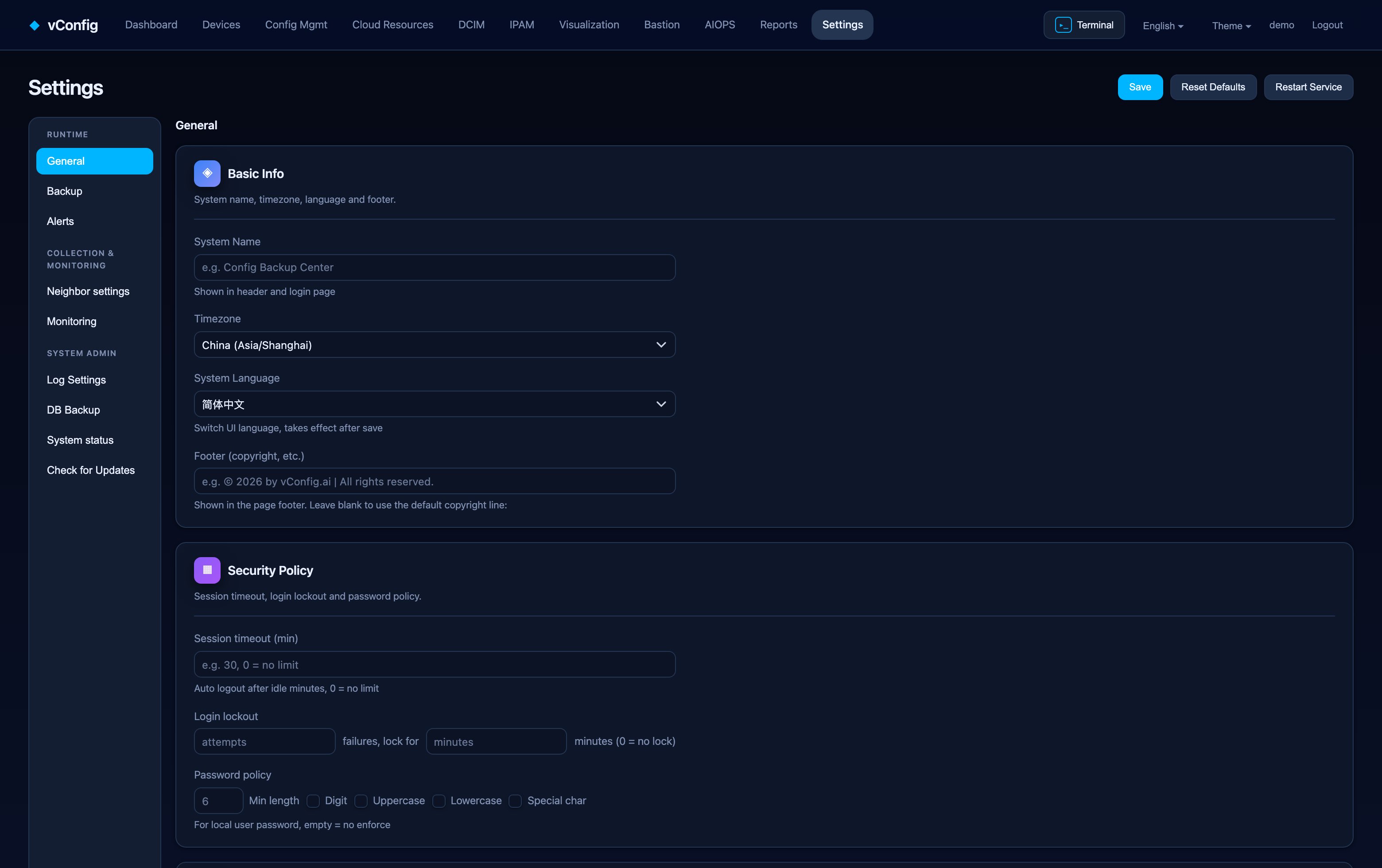
General
Basic information (system name, timezone, language, footer text), security policy (session timeout, login-failure lockout, login CAPTCHA, password complexity: minimum length, digits, upper case, lower case, special characters), display and pagination (default rows per page), branding (upload your own logo) and the HTTPS certificate — upload your own or regenerate the self-signed one.
Backup settings
Backup schedule, config change detection and its ignore rules, connection and credentials (global credentials, SSH ⇄ Telnet fallback), bastion routing, timeout and concurrency, and interfaces and the Git repository. See Configuration Backup.
Alert settings
Email, webhook and SMS channels — each with a test button — plus notification policy and alert rules. See Monitoring & Alerting.
Neighbor settings
Master switch for neighbor relations, then IS-IS (BGP-LS), OSPF (BGP-LS), CDP / LLDP, and BGP / default route for external neighbors. Also the neighbor-description regex and your company domains, used for de-duplication. See Neighbor Relations.
Monitoring settings
Device inventory settings, latency monitoring, SLA matrix probe settings, traffic monitoring, and interface graph filter rules. The manual collection buttons live here too: collect now, collect LLDP, collect CDP, parse configs, login-based collection, inventory now, monitor now, link health check, and clean invalid interface graph data.
Authentication settings
LDAP, enterprise SSO (OIDC) and two-factor (TOTP). See Users & Access Control.
User management
Users and roles. See Users & Access Control.
Log settings
Retention per log category, and clean expired logs by retention to apply it immediately. See Log Center.
Data backup
Backs up the vConfig database — settings, inventory, ledgers, history. It does not include the configuration file archive, which is stated on the page before you run it. Take one before an upgrade.
System status
The host's own CPU, memory, disk utilization, disk IOPS and live NIC bandwidth, plus the state of each system service, with restart controls.
Check for updates
Current version, available version and Upgrade now. See Updates (OTA).
Licence
Licence status, device count against your cap, expiry, and activation — activate online or upload and activate for an air-gapped install. See Licensing & Activation.
Restore defaults
Restore default settings on the General page resets settings, not data. It is still worth taking a data backup first.