Compliance Baseline
Compliance answers a different question from drift: not "did this device change" but "does this device meet our standard".
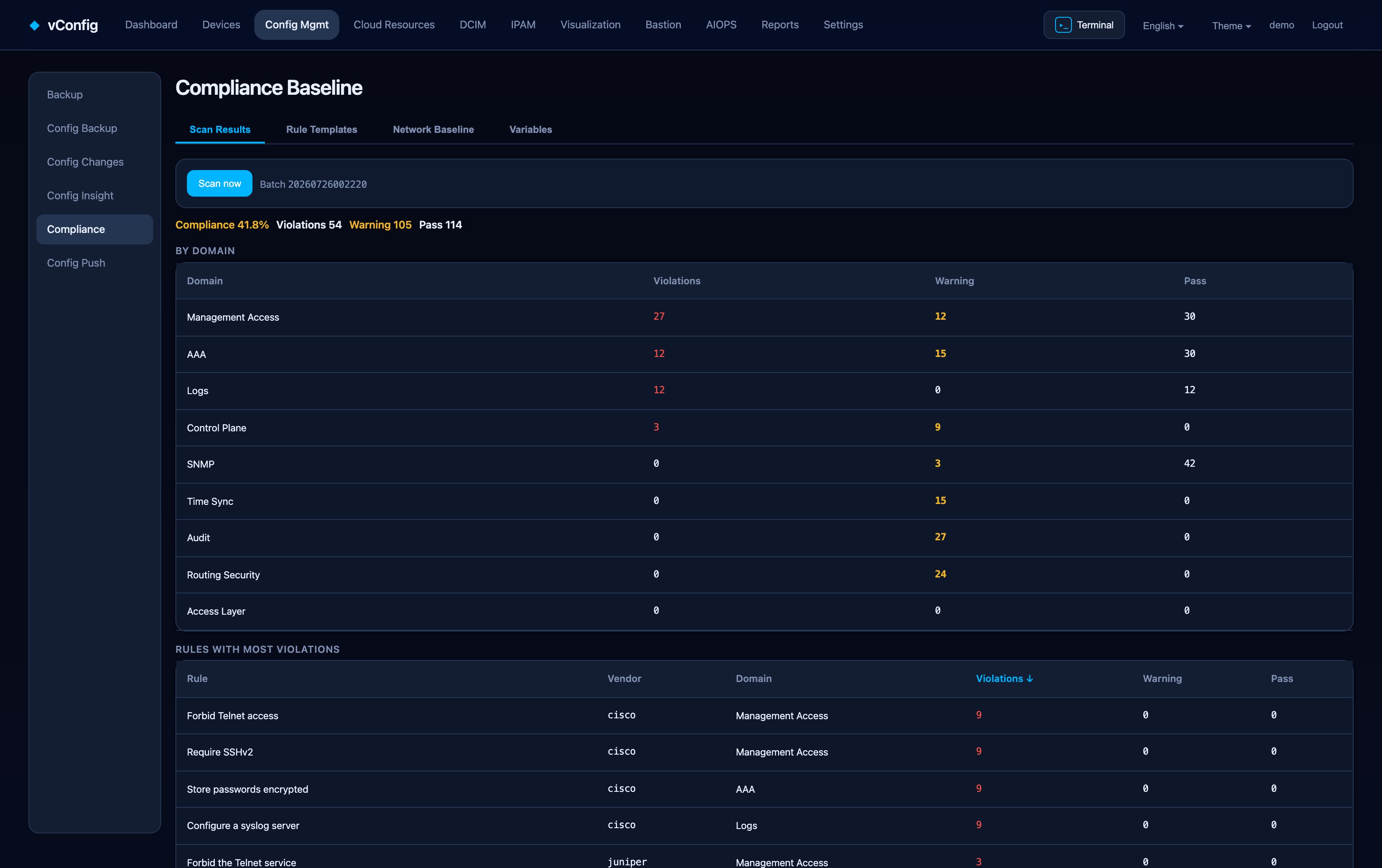
Four tabs
| Tab | Purpose |
|---|---|
| Scan results | Findings from the most recent scan, per device and per rule |
| Rule templates | The rules themselves |
| Live baseline | What the fleet actually looks like today |
| Variable profiles | Per-site and per-role values a rule refers to |
Writing rules
A rule states something that must (or must not) be present in a configuration: an AAA server, a syslog target, an SNMP community that is not public, an NTP peer, a management ACL, a banner. Rules are matched against the latest backup, so scanning costs nothing on the device side — no logins, no load, and it works on a device that is currently unreachable.
Variable profiles
The same rule usually needs different values per site: Shanghai's NTP servers are not Frankfurt's. Put the value in a variable profile and write the rule once. Without this you end up with forty near-identical rules, which is how compliance suites rot.
Reading results
Findings are grouped by rule and by device, so you can ask either question:
- Which devices fail this rule? — a rollout that never finished.
- Which rules does this device fail? — a box that was built from the wrong template.
From finding to fix
A finding can be turned into a remediation ticket in Config Push: the fix template is pre-filled from the violated rule and its baseline value, and it goes through the same approval, execution and verification pipeline as any other change. After execution a fresh backup is taken and the touched devices are re-scanned, so the evidence that the fix landed is generated automatically.