Auto-discovery
Discovery finds devices you did not know about — or, more commonly, the ones nobody added after they were installed. It scans IP ranges over SNMP and adds whatever answers.
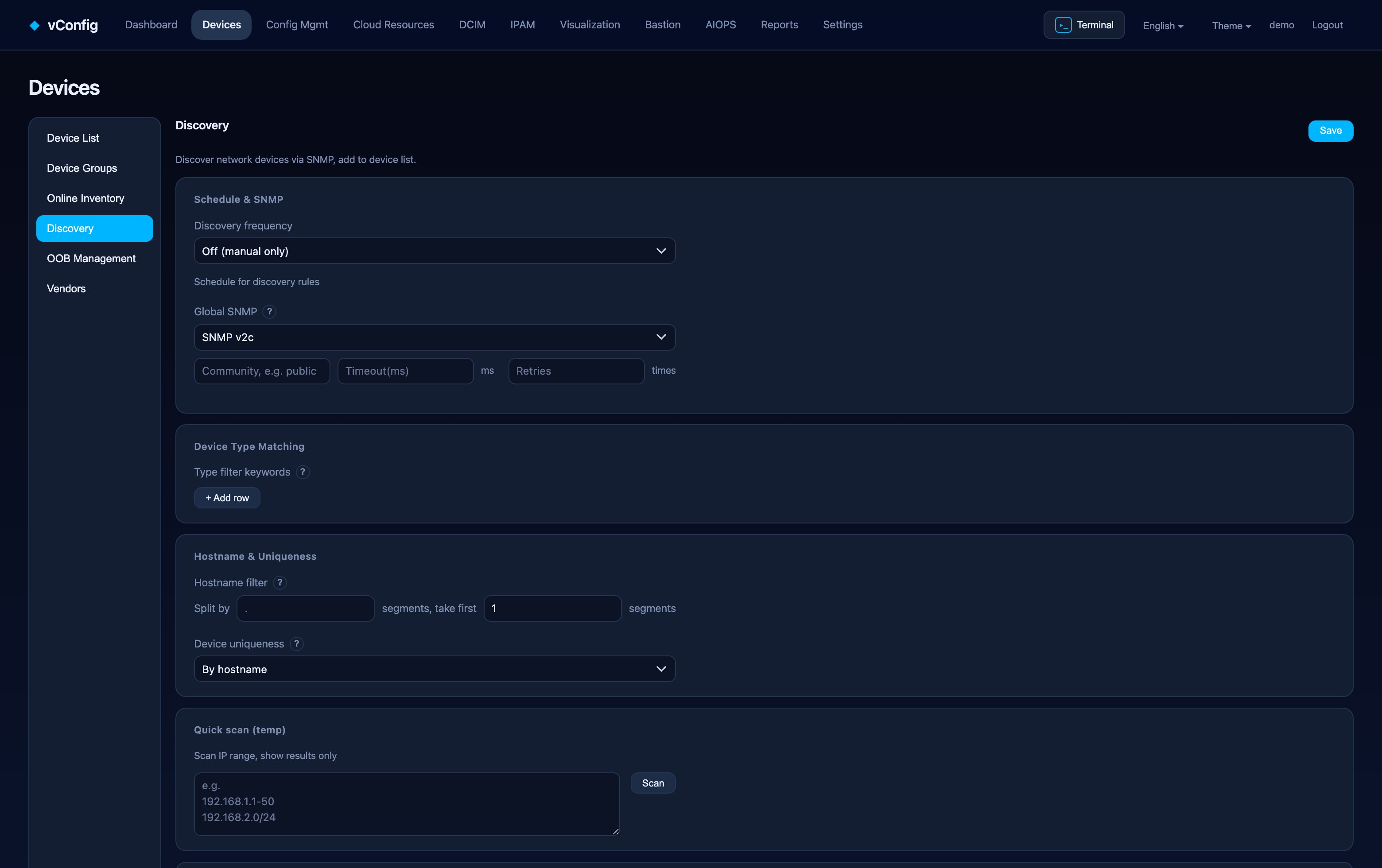
How it works
For every address in range, vConfig sends an SNMP GET for the OIDs configured in the rule. A device that replies is identified by hostname OID, device type OID and model OID, matched against your type rules, and added to the inventory with the group you chose.
Devices that do not answer SNMP are not added — discovery never guesses.
Setting up a rule
Devices → Auto-discovery → + New rule**:
| Field | Notes |
|---|---|
| Rule name | Shown in the run log |
| IP range | One or more ranges/CIDRs |
| Hostname OID | Usually sysName; override for vendors that put the real name elsewhere |
| Device type OID / Model OID | Feed the type-matching rules below |
| Group | Which device group new devices land in |
Global settings above the rule list apply to every rule:
- Discovery frequency — how often rules run.
- Global SNMP settings and SNMPv3 credentials — v2c community or v3 auth/priv.
- Device type matching rules — map an OID substring to a vendor/type, so a discovered box arrives correctly classified instead of as "unknown".
- Hostname filter and Uniqueness on add — which duplicates to reject.
Quick scan
Quick scan (temporary) runs a range immediately without saving a rule. Use it to check credentials or confirm a new subnet answers before committing to a schedule.
The run log
Every run records what it scanned, what it found, what it added and what it skipped — including devices skipped because you have reached your licensed device cap. If a run stops early, the log says why.
Licence cap and discovery
Discovery honours your device cap. When the cap is reached the run stops adding devices and records the reason per skipped address, so you never end up with a half-populated inventory and no explanation. If your licence has expired, existing devices keep working but no new ones can be added — see Licensing.