Config Changes & Diff
Backups tell you what the configuration is. Change tracking tells you what somebody did — which is the question asked during an incident.
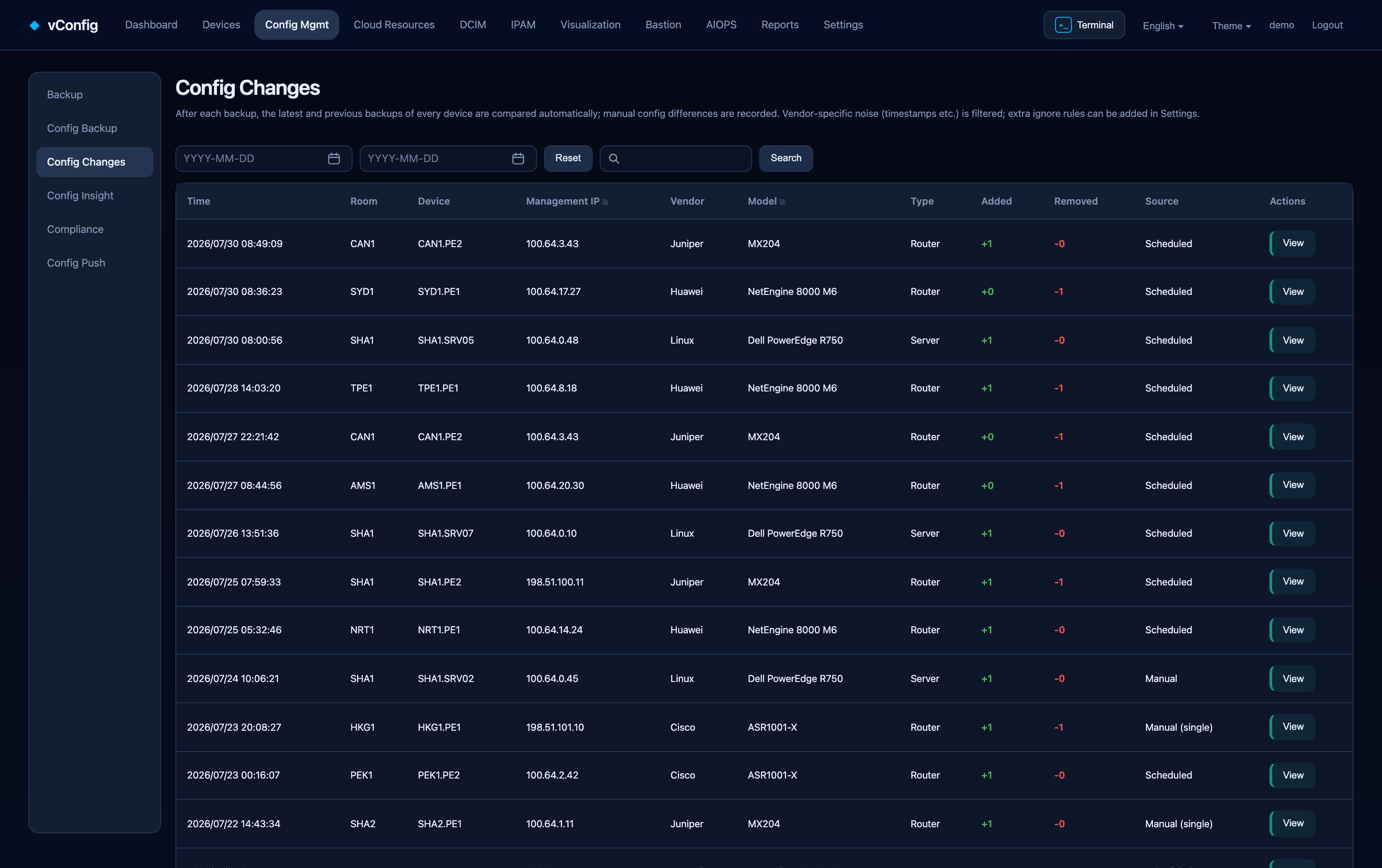
How changes are detected
After every backup run, vConfig compares each device's newest backup against the previous one and records the human-made differences. The list shows time, data center, device, management IP, vendor, model, type, lines added, lines removed and source.
Click a row for the diff, with Copy difference commands to lift the change straight into a ticket or change record.
Noise filtering
Raw config diffs are mostly noise: timestamps, uptime counters, "last changed by" lines and NTP drift show up on every device every night. vConfig filters these per vendor out of the box.
When your platform produces a line the built-in rules do not know about, add it under Settings → Backup settings → Config change ignore rules. A change list nobody trusts is a change list nobody reads, so it is worth spending ten minutes on this once.
Versions
Each backup batch is committed as one version. Click a version to see the configuration files that changed in that batch. For line-level differences between two arbitrary versions of one device, use Backed-up configs → Compare configs instead.
Not enabled by default
Change detection is switched on under Settings → Backup settings. Until it is, this page stays empty.
Drift against a baseline
Change tracking answers "what changed since last night". Drift answers "what differs from what we approved".
On a device's detail page, Set as baseline freezes its approved configuration. Any later deviation raises a drift event with the diff and a timestamp. Combined with nightly backups this catches out-of-band changes — the classic "someone SSH'd in at 2am" — within one backup cycle, and it does so without needing anybody to have been watching.