Reports
Reports turn what the platform already knows into something you can send to somebody who does not log in.
Using it
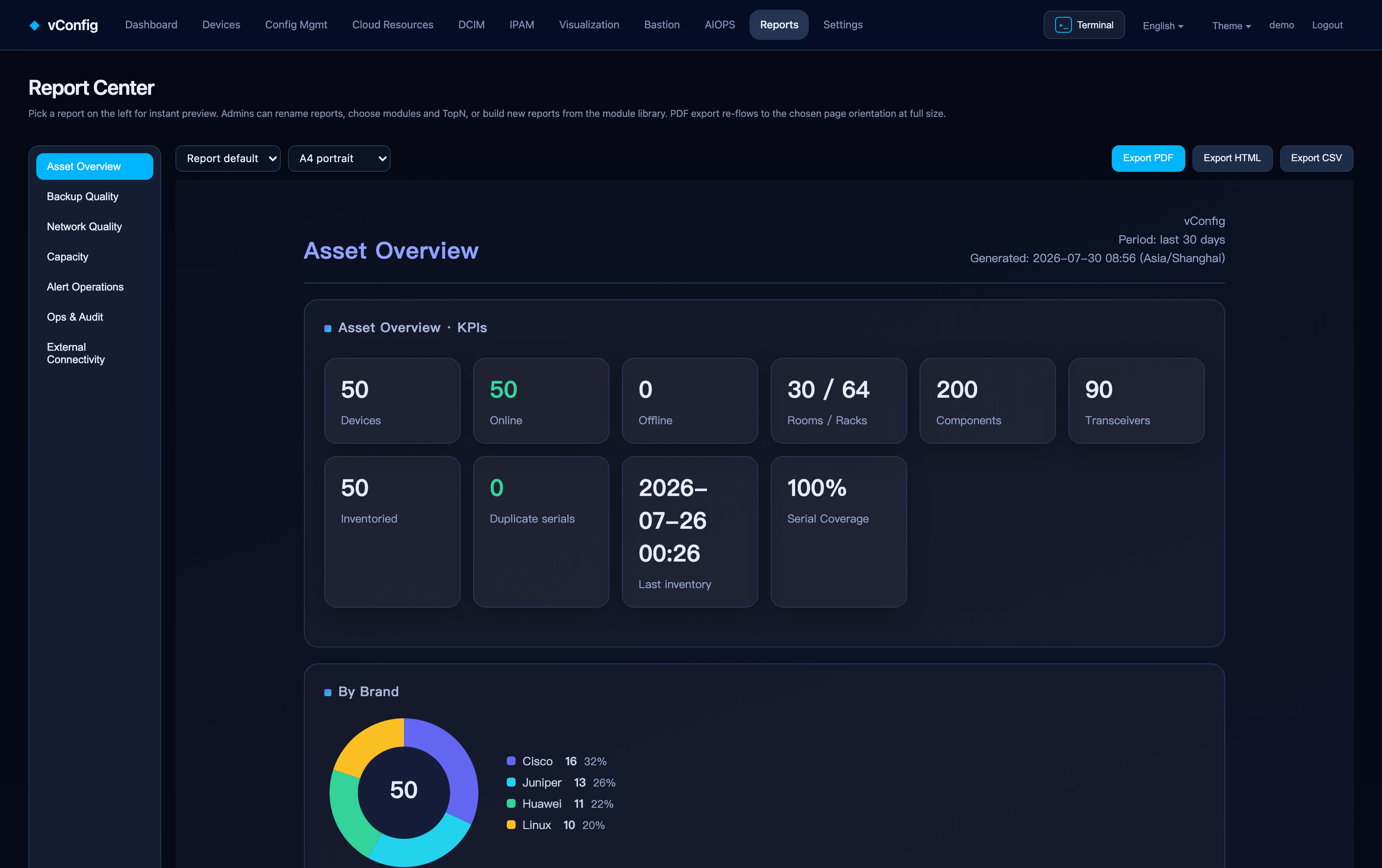
Pick a report on the left and it renders immediately on the right. Export as PDF, HTML or CSV.
PDF export re-flows for the chosen paper orientation rather than scaling a screenshot down, so the type stays readable at A4 — the difference between a report somebody reads and one they squint at.
Customising
⚙ Customise opens the builder:
- Module library, grouped by category — pick what goes in.
- Selected modules, drag to reorder, with an editable TopN per module.
- Report name and default period in days.
Restore defaults puts a built-in report back the way it shipped. You can also build a report from scratch out of the module library, which is how most people end up with a monthly pack that matches their own review meeting.
Permissions
Report customisation is an administrator action; viewing and exporting is available to anyone with read access to the module. See Users & Access Control.