Vendors & Drivers
A vendor in vConfig is one complete definition: how to log in, which commands to run, and how to read the output. 15 vendors ship built in, all of them editable, and you can add your own without waiting for a release.
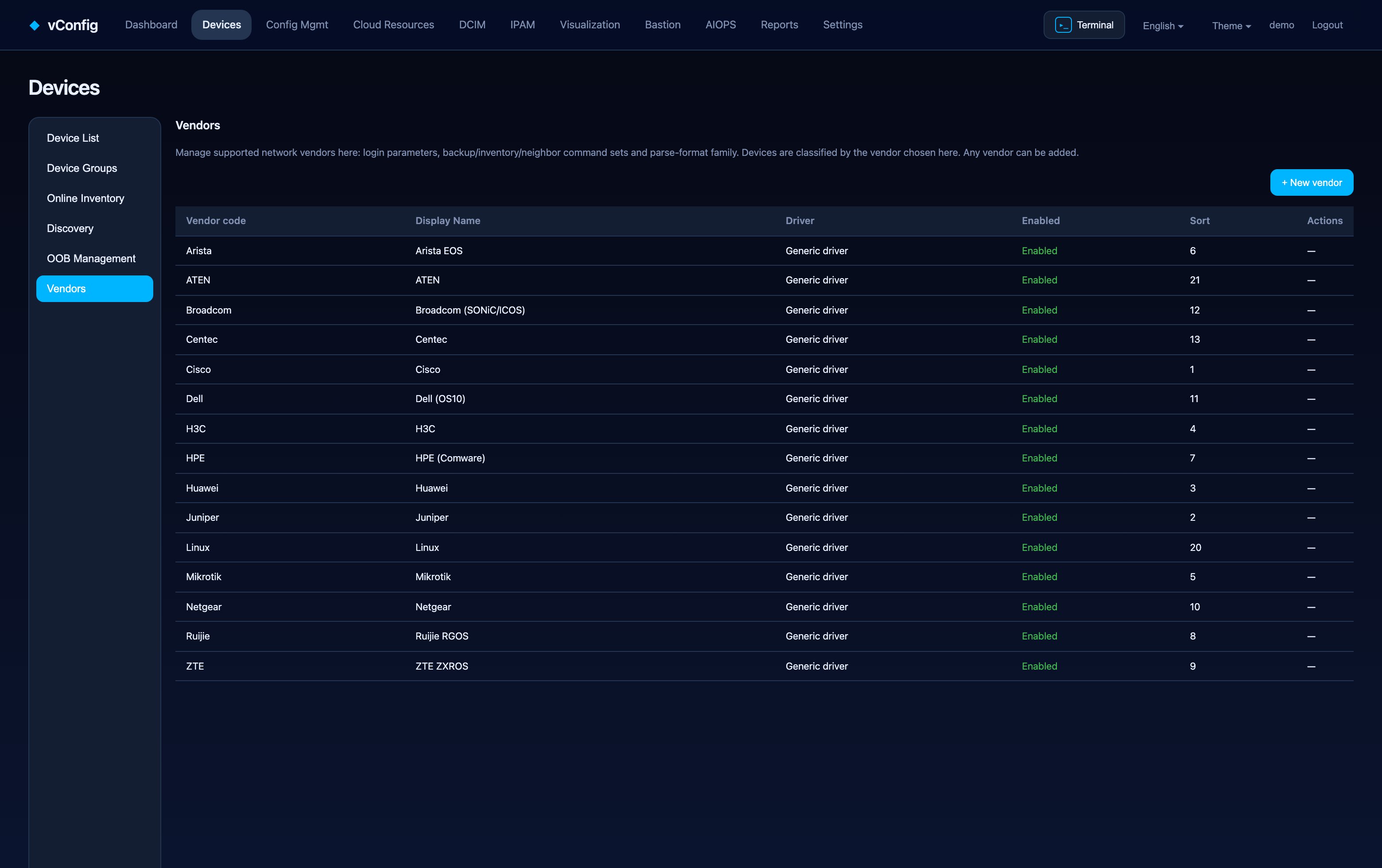
Built-in vendors
18 vendors ship built in: Cisco, Juniper, Huawei, H3C, MikroTik, Arista EOS, HPE Comware, Ruijie RGOS, ZTE ZXROS, Netgear, Dell OS10, Broadcom SONiC / ICOS, Centec 盛科 (CentecOS), Fortinet 飞塔 (FortiOS), Hillstone 山石 (StoneOS), Palo Alto (PAN-OS), Linux and ATEN. Each is editable under Devices → Vendor settings.
What a vendor definition contains
Devices → Vendor settings → + Add vendor**:
Basic information
| Field | Notes |
|---|---|
| Vendor code * | Internal identifier |
| Display name * | What users see in the device form |
| Driver type | Which built-in driver family to base it on |
| Custom driver module path | For a fully custom driver |
| Sort weight / Enabled | Ordering in the picker; disable rather than delete |
Login parameters
| Field | Notes |
|---|---|
| Login prompt / Password prompt | Only needed for devices whose prompts are unusual |
| Init commands | Run once after login — typically screen-length 0 temporary, terminal length 0, or the platform's equivalent for disabling pagination |
Command sets
Three command sets, each accepting multiple lines as ordered fallbacks — vConfig tries the first, and moves to the next if the device rejects it. That is how one definition covers several software generations of the same platform.
| Set | Purpose |
|---|---|
| Backup command * | What produces the running configuration |
| Inventory commands | Modules, optics and serials |
| LLDP command / CDP command | Neighbor collection (CDP is Cisco-family only) |
Output formats
Inventory parse format and Neighbor parse format tell vConfig which output family to expect. Pairing "a login procedure + three command sets + a format family" is the whole model — get those four right and every feature that touches the device works.
Adding your own
Anything reachable over SSH or Telnet can be added as a custom vendor. No code change and no release required — which matters when you have one odd platform in an otherwise standard fleet.
Start from the closest built-in
Copy the built-in vendor whose CLI is closest, change the commands that differ, and test with a single device before applying it fleet-wide.