Neighbor Relations
The neighbor table is the raw material for the topology map and for per-link latency monitoring. It is also useful on its own — it is the only complete list of "what is connected to what" most networks have.
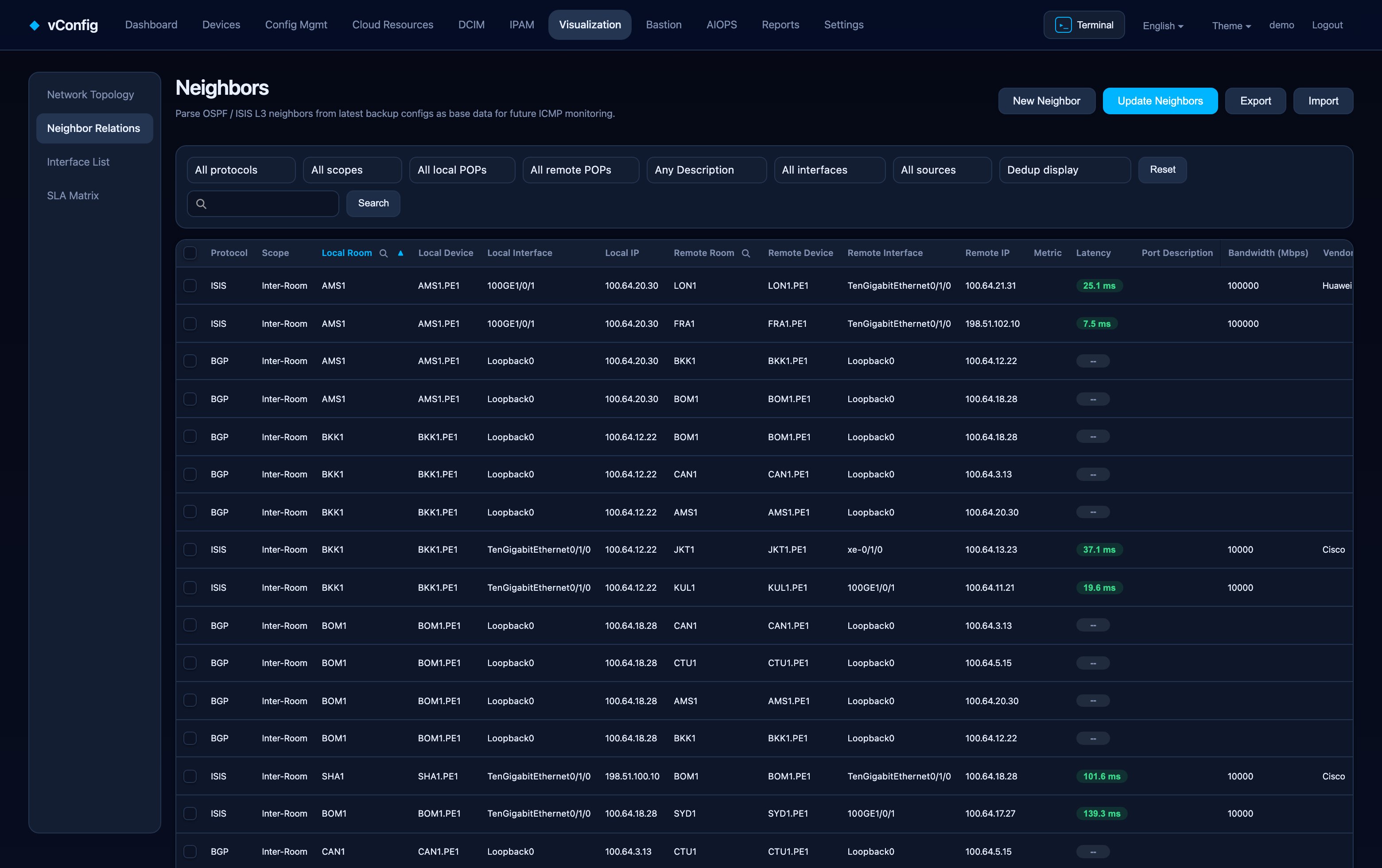
The table
Each row is one adjacency: protocol, scope, local room / device / interface / IP, remote room / device / interface / IP, metric, latency, port description, bandwidth, provider, status, source, and whether it is preferred.
Source matters when the same link is seen by two collectors. Preferred decides which one wins.
Updating the table
Update neighbor table opens a dialog listing each protocol with its collection method, current row count and last update time. Tick only the protocols you need — collection methods differ wildly in cost, and refreshing only OSPF takes a fraction of the time of a full sweep.
| Protocol | How it is collected |
|---|---|
| IS-IS / OSPF | Parsed from the latest backup, or live via BGP-LS |
| CDP / LLDP | Login and run the vendor's neighbor command |
| BGP / default route | External neighbors, for edges you do not own |
Configure which sources are active under Settings → Neighbor settings, where each protocol has its own enable switch, and the neighbor-description regex controls how link descriptions are parsed.
Manual links
Add neighbor creates a link by hand: both ends' room, device, interface and IP, plus subnet, monitor target IP, port description, bandwidth, metric and provider. Use this for circuits no protocol will ever reveal — leased lines, dark fibre, cross-connects to a partner.
Import and Export move the table in bulk, which is the practical way to load a few hundred circuits from an existing spreadsheet.
Latency monitoring
Once a neighbor has a monitor target IP, vConfig pings the far end from the local device and records latency, jitter and loss per link. Click a row to see the history. That trend is what turns "customers are complaining" into "this circuit degraded at 14:20".