Out-of-band Management
When the production path is down, the out-of-band path is how you get in. vConfig treats console servers as first-class assets and gives you a browser console through them.
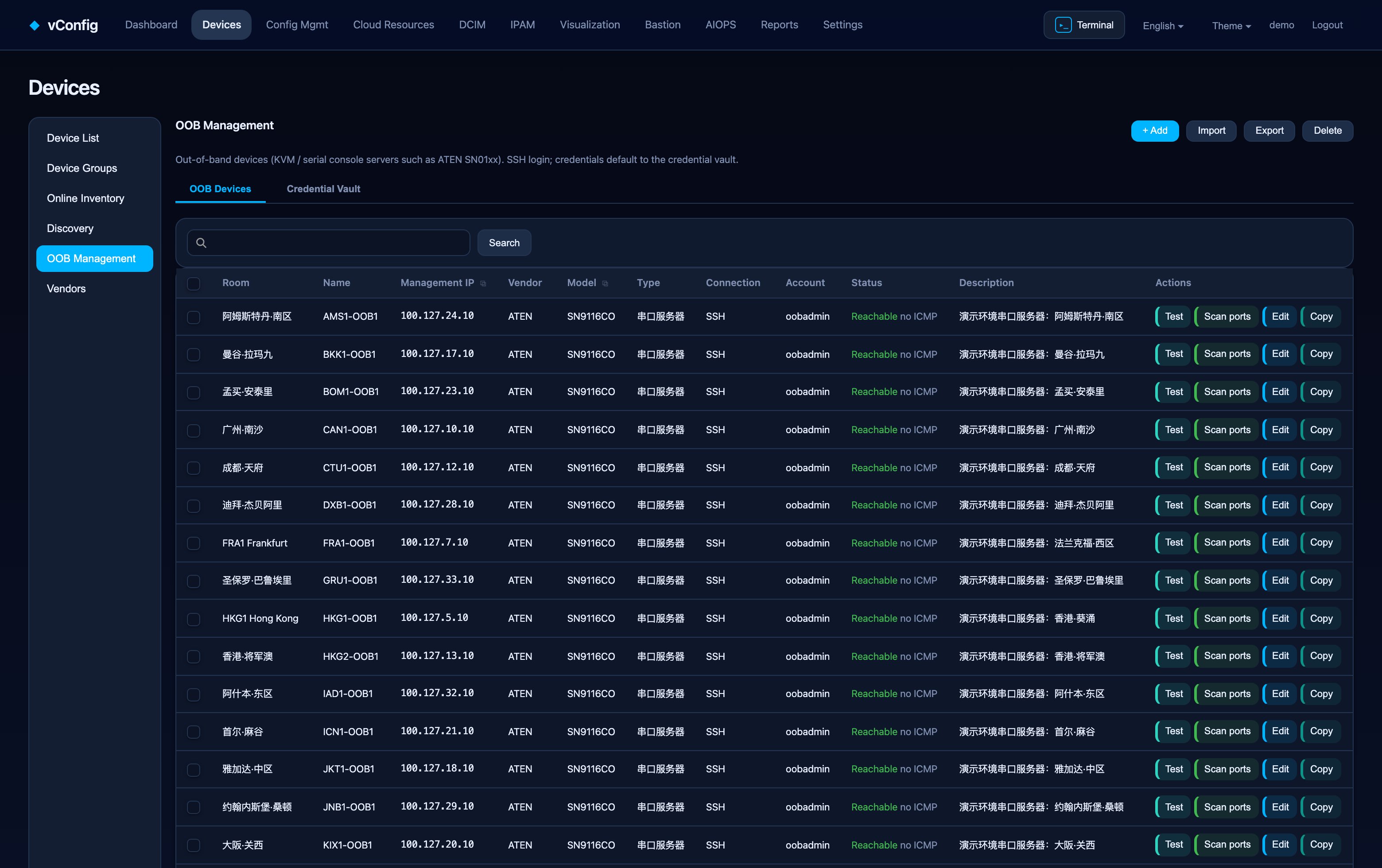
Two tabs
- OOB devices — the console servers themselves: data center, name, management IP, vendor, model, type, connection type, account, status and description.
- Credential store — named credentials with encrypted passwords. One can be marked default. Passwords are never echoed back to the browser.
Console access
Out-of-band console access is menu-driven: vConfig logs into the console server, walks its menu, and lands you on the port you asked for. From the bastion the OOB path looks the same as a direct SSH session — same terminal, same recording, same audit trail.
Port names
On typical console servers the port name is close to the device hostname, sometimes with a suffix for redundant routing engines (…RE0, …RE1). Name the ports to match your hostnames and the mapping stays obvious a year later.
Why keep it in the same platform
The value is not the terminal — it is that the console path is inventoried, permissioned and recorded like everything else:
- who has access is decided by the same roles,
- sessions are recorded and replayable,
- the credential store is shared with the rest of the platform rather than living in someone's password manager.